Team Collaboration, Reimagined
One Hub for Your Team's Profiles, Activity & Documents
Workspace brings your team together with rich member profiles, a real-time activity feed, and shared documents — all in a single, beautifully designed hub.

Trusted by Teams at Leading Companies

Powerful Features, Thoughtfully Designed

Rich Member Profiles
Every team member gets a detailed profile showing their role, skills, current projects, and availability. No more guessing who to ping — find the right person instantly and see exactly what they're working on right now.
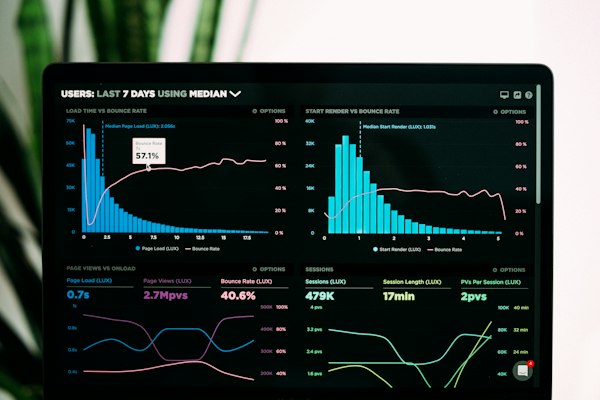
Live Activity Feed
A real-time stream of everything happening across your workspace — documents edited, tasks completed, comments posted, and milestones hit. Stay informed without attending another status meeting.

Shared Document Hub
Create, upload, and organize every team document in one searchable library. Version history, inline comments, and granular permissions mean the right people always have the right access to the right files.

Smart Notifications
Workspace learns what matters to you and surfaces only the alerts that need your attention. Customize notification rules by project, person, or document type so your focus stays unbroken.

Seamless Integrations
Connect Workspace to the tools your team already loves — Slack, GitHub, Google Drive, Jira, and 50+ more. Data flows in automatically so your hub stays current without any manual effort.

Enterprise-Grade Security
SOC 2 Type II certified, end-to-end encrypted, and built with role-based access controls from the ground up. Your team's data stays private, compliant, and protected — no compromises.
Everything Your Team Needs in One Place
Every team member gets a polished profile showcasing their role, skills, availability status, and recent contributions. Managers get instant visibility into who's working on what, and teammates can connect with the right person in seconds — no more hunting through org charts or outdated spreadsheets.
Stay in sync with a real-time activity feed that surfaces document edits, task completions, comments, and status changes the moment they happen. Filter by team, project, or individual so you always see what matters most — without drowning in noise or missing a critical update.
Create, edit, and organize documents collaboratively in a single structured hub. Version history, inline comments, and granular permissions mean your team always works from the latest source of truth. From meeting notes to product specs, every document is searchable and one click away.
Workspace brings member profiles, activity, and documents together on a single elegant dashboard. Pin key documents, spotlight active teammates, and track project momentum — all without switching tabs. It's the command center your team has always needed, beautifully designed and instantly intuitive.

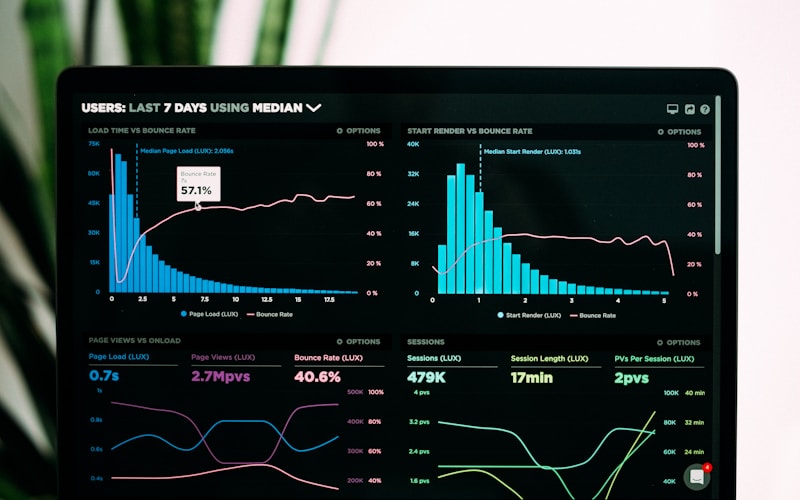


Real Teams, Real Results
Meridian Design Studio Cut Meeting Time by 40%
Before Workspace, Meridian's 18-person design team juggled Slack threads, scattered Google Docs, and weekly status emails that nobody read. After switching, every member profile, live update, and shared asset lives in one place. Stand-ups dropped from 45 minutes to under 15, and the team shipped their biggest rebrand project two weeks ahead of schedule.


Northgate Engineering Onboards New Hires in Half the Time
Northgate's engineering leads were spending three full days getting each new hire up to speed. With Workspace, new members land on a rich team profile page, see live activity from day one, and find every shared document without asking anyone. Onboarding time dropped from 72 hours to 36, and first-week productivity scores jumped 28%.
Bloom Marketing Agency Keeps 12 Client Projects on Track Simultaneously
Managing a dozen concurrent client campaigns used to mean constant context-switching and missed deadlines for Bloom's account managers. Workspace's activity feed surfaces exactly what needs attention right now, while shared document folders keep every deliverable a single click away. Bloom now runs 12 active projects with the same headcount that once struggled with six.

Up and Running in Three Simple Steps
-
01
Create Your Workspace
Sign up in seconds and give your workspace a name. Invite teammates via email or a shareable link — no IT setup, no lengthy onboarding forms. Your hub is live and ready to use the moment you finish.
-
02
Build Your Team
Each member completes their profile with their role, skills, and a photo. Organize people into projects or departments so the right context is always visible. Workspace learns your team's structure and surfaces it beautifully.
-
03
Collaborate and Ship
Start creating shared documents, tracking activity, and keeping everyone aligned — all in one place. With live updates and a unified feed, your team moves faster, communicates clearly, and delivers results without the chaos.
Built for the Way Modern Teams Work





What Our Users Are Saying
The member profiles alone changed everything. I finally know who owns what, and the live activity feed means I never have to chase anyone for a status update.

We evaluated five collaboration tools. Workspace was the only one that felt like it was designed for humans. Our team adopted it in a single afternoon — no training required.

Shared documents used to live in twelve different places. Now there's one source of truth and everyone knows exactly where to look. It sounds simple, but it's been transformative.

Our remote team finally feels like a real team. Seeing live activity from colleagues across the world makes the distance disappear. Workspace is the closest thing to being in the same room.

See How Teams Transformed with Workspace
How Meridian Consulting Cut Meeting Overhead by 40%
Challenge
Meridian Consulting's 120-person team was drowning in scattered email threads, disconnected project files, and no single source of truth for client deliverables. Project managers spent nearly two hours each day just locating the right documents and chasing status updates from colleagues across three time zones.
Solution
Meridian adopted Workspace as their central hub, consolidating member profiles, a live activity feed, and shared document libraries into one elegant platform. Team leads configured role-based access so every consultant saw exactly the files and updates relevant to their engagements, eliminating noise and redundant check-ins.
Results
Within 60 days, meeting overhead dropped by 40% and document retrieval time fell by 65%. Client satisfaction scores rose 18 points as deliverables were consistently on time. The team reclaimed an estimated 900 hours per quarter — time reinvested directly into billable client work.

Brightline Studio Scales Creative Output Without Adding Headcount
Challenge
Brightline Studio, a 45-person creative agency, struggled to keep designers, copywriters, and account managers aligned on fast-moving campaigns. Assets lived in multiple cloud drives, feedback was buried in email chains, and new hires took weeks to get up to speed on active projects.
Solution
Brightline centralised all campaign assets and briefs inside Workspace's shared document system, linked directly to each team member's profile. The live activity feed gave account managers real-time visibility into creative progress, and onboarding new hires was reduced to a single Workspace invite with pre-configured project access.
Results
Campaign turnaround time improved by 30%, and the agency took on 25% more client projects in the following quarter without hiring additional staff. New hire ramp-up time dropped from three weeks to four days. Workspace paid for itself within the first month of deployment.
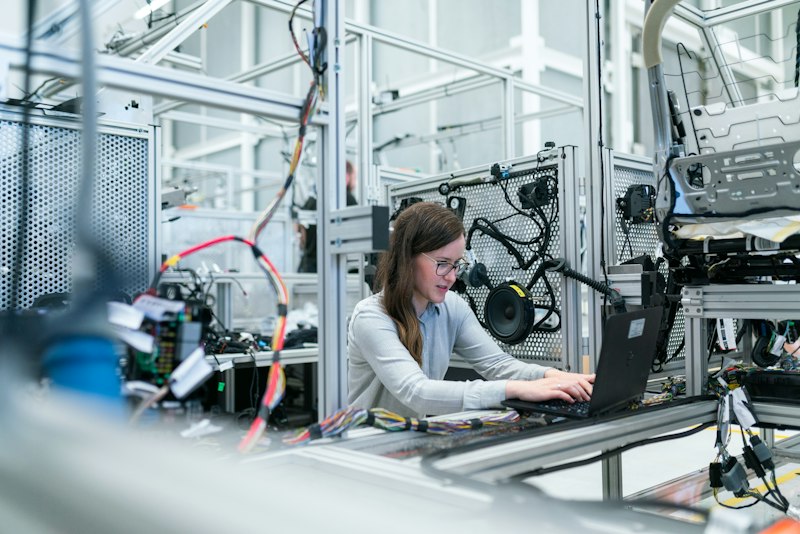
NovaTech Engineering Unifies Remote Teams Across Five Countries
Challenge
NovaTech Engineering's distributed R&D team of 200 engineers spanned five countries and seven time zones. Asynchronous collaboration was chaotic — critical design documents were versioned incorrectly, activity updates were missed, and engineers duplicated work because visibility into colleagues' progress was nearly nonexistent.
Solution
NovaTech deployed Workspace company-wide, leveraging member profiles with skill tags to surface the right experts instantly, shared document versioning to eliminate duplication, and the live activity feed to keep every engineer informed of project milestones regardless of their local time zone.
Results
Duplicate engineering effort dropped by 50% in the first quarter. Cross-timezone collaboration satisfaction scores jumped from 54% to 89% in an internal survey. Document version conflicts fell to near zero, and the team shipped their flagship product release two weeks ahead of schedule for the first time in company history.

Harlow Health Streamlines Clinical Team Coordination
Challenge
Harlow Health's clinical operations team coordinated care across 15 outpatient clinics, relying on a patchwork of spreadsheets, pagers, and email to manage staff schedules, policy documents, and inter-clinic communications. Critical updates were frequently missed, leading to compliance gaps and staff frustration.
Solution
Harlow Health implemented Workspace to centralise staff profiles, policy document libraries, and a real-time activity feed for shift updates and clinical announcements. Role-based permissions ensured sensitive documents were accessible only to authorised personnel, meeting strict healthcare compliance requirements.
Results
Compliance audit findings related to document access fell by 70%. Staff reported a 45% improvement in communication clarity in post-implementation surveys. Clinic coordinators saved an average of 90 minutes per day previously spent on manual update distribution, redirecting that time to patient-facing care coordination.
The Numbers Speak for Themselves
Workspace didn't just organize our files — it transformed how our entire team communicates. We feel connected whether we're in the office or across three time zones.
Your Team Deserves a Better Way to Work Together
Stop letting scattered tools, missed updates, and buried documents slow your team down. Workspace brings member profiles, live activity, and shared documents into one refined hub — so your team can focus on the work that matters. Join thousands of teams already working smarter. Get started free today, no credit card required.